Integration

ERP Integration Sydney, Melbourne, Brisbane, Perth, Adelaide

With the ERP and every system around it in step.

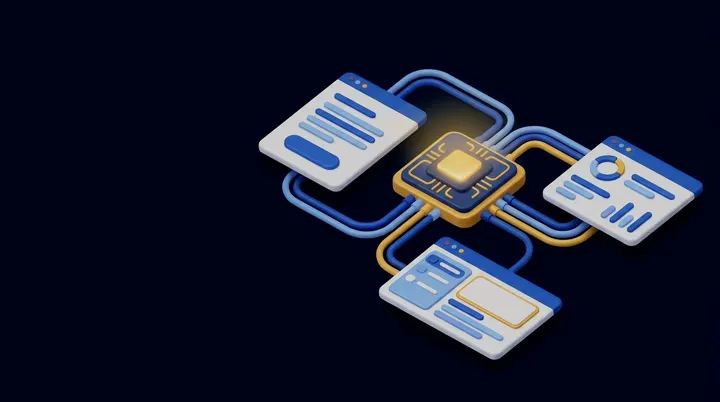
ERP integration connects NetSuite, Business Central, Dynamics 365, Odoo, MYOB Acumatica, Pronto and similar ERPs to the systems around them: online stores, CRM, job and field service software, warehouses and 3PLs, payroll, payment providers and reporting.

More about this service

Every flow gets a source of truth, a sync direction, a written mapping, safe retries and a daily reconciliation. If the vendor connector already covers your flow, we will tell you to use it.

  • Australian Team, working nationally
  • Independent Not tied to any ERP vendor
  • Sandbox Every build tested before it touches live
  • Yours You own the code and credentials
Australian owned and operated

Built here. Your data stays here.

  • No offshore development. Everything is written by our own team in Australia. Nothing is subcontracted overseas.
  • Your data stays onshore. Hosted in Australia, on infrastructure you own, under Australian law.
  • Every state, not just ours. Perth, Melbourne, Sydney, Brisbane, Adelaide and everywhere between.
In short

What ERP integration means, in plain terms

ERP integration keeps your ERP and the systems around it in agreement. Orders, customers, stock, jobs, pay runs and payments move between them on rules you set, so nobody retypes them and month end is not spent hunting for differences.

Read more

Each kind of record has one source of truth, the system whose version wins when two disagree. Each flow has a direction (one way or both) and a timing (as it happens, or in batches). A written mapping says which field, account, tax code and dimension each value lands in.

Then comes the part connectors often skip: a failed record is held with the reason, retried without posting twice, reconciled against the other system on a schedule, and monitored so a person hears about it before month end.

This page covers the approach whichever ERP you run. Product detail sits on the NetSuite, Business Central, Dynamics 365 and Odoo integration pages. For an in-house or older ERP, see custom systems integration, and custom middleware where order volume or audit needs go beyond a direct connection.

The problem

Why does the ERP disagree with the store, the warehouse and the CRM?

Each system is right about its own part of the business. The ERP knows the invoices and the ledger, the store knows the orders, the warehouse knows what left the dock, the CRM knows the customer. Without agreed rules between them, the same customer exists three ways, stock is wrong somewhere, and month end becomes a reconciliation exercise.

What you already run

What we build

One integration layer with rules

Built on the APIs each system publishes, with a source of truth for every record, a written mapping, held records instead of silent failures, and a log of every sync so a difference can be traced.

Get a fixed-price scope

What changes

  • Orders, stock, jobs and payments move without retyping
  • One customer record, matched on rules finance agrees
  • Differences found the same day, not at month end
What we connect

The systems an ERP integration usually joins

Seven kinds of connection we are asked for most. Each starts with the same questions: which system owns the record, which way it moves, and what happens when it fails.

Online store orders into the ERP

Orders from Shopify, WooCommerce, BigCommerce or a custom storefront arrive in the ERP as sales orders against the right customer, item, price list and tax code. Stock and fulfilment status flow back to the store, so it does not sell what the warehouse cannot send.

Refunds and part shipments are where store connectors usually fall short, so they are mapped and tested before go-live.
CRM and ERP sharing one customer

Won deals in Salesforce, HubSpot or Zoho CRM become customers and orders in the ERP. Invoice, payment and credit status flow back, so sales can see whether a customer has paid without asking accounts.

The hard part is matching. Trading names, near duplicates and parent accounts are matched on rules finance agrees, because a careless match merges two customers that should never meet.

Jobs, labour and materials into the ERP

Trade, construction and service businesses often run the work in Simpro, ServiceM8, AroFlo or Ascora and the finance in the ERP. Hours, materials, progress claims and job invoices are carried across with the job, cost centre and project attached.

Items, price lists and customers usually flow the other way, from the ERP to the job system, so technicians quote from current prices.

Warehouse, 3PL and inventory systems

Receipts, picks, despatches and stock counts from a warehouse system or third party logistics provider (3PL) are matched to the ERP, along with inventory tools such as Cin7 and Unleashed.

Lot and serial numbers, units of measure and multiple locations are mapped field by field, and stock is compared between the two systems every day rather than at stocktake. See warehouse, 3PL and freight integration for the carrier and returns side, and manufacturing integration for production stock.

Payroll and timesheets posted as journals

Pay runs from Employment Hero, Deputy or another payroll or rostering system post to the ERP as journals, split by cost centre, department, entity or project.

Employee pay details stay in the payroll system. Only the accounting entries the ERP needs are sent across.

Bank and payment provider settlements

Payouts from Stripe, Square and other payment gateways arrive as one deposit with fees taken out. They are split back into the customer payments inside them and applied to the right invoices, with fees posted to their own account.

Bank feeds themselves usually come through the ERP vendor or your bank. The integration works alongside them rather than replacing them.

Reporting across the ERP and everything else

ERP data is joined with store, CRM and job data in Power BI or a reporting database, so finance and operations read from one set of numbers instead of exporting to spreadsheets.

Reporting reads from the ERP. It never writes back, so a report can never change the ledger.

Native connector, middleware or custom

When is a native ERP connector enough?

Use the vendor or app store connector when it already moves the records you need, in the direction you need, with the fields your finance team relies on, and shows you clearly when something fails. Build a custom ERP integration when the mapping, the volume, approval steps or reconciliation go beyond what it offers.

We check the connector first. If it covers the flow, we will say so and you will not need us for that part.

Example. A store with one Shopify channel that posts a daily sales summary into its ERP may be well served by the app store connector. A wholesaler with three sales channels, customer-specific price lists, a 3PL that ships partial orders and approval rules on credit limits usually is not.

Native connector, middleware or custom ERP integration

Criterion Native connector Middleware platform Custom integration
Best when The connector already moves the records you need, in the direction you need, with the fields finance relies on You have several simple flows across many apps and someone in-house to look after them Mapping, volume, approvals or reconciliation go beyond what a connector offers
Mapping Fixed by the vendor, with limited room for custom fields Configured field by field in the platform, logic you maintain Any rule your finance team needs: accounts, tax codes, dimensions, entities, units
Volume and timing The vendor schedule and limits Limited by plan, usually charged per task or operation Queued and batched to suit the ERP API and your trading peaks
Failed records Shown in the connector log, often without a clear reason Retry settings you configure, runs you check Held with the reason, retried without double posting, a named person alerted
Reconciliation Rarely included Possible, if you build it Counts and totals compared between systems every day
Who looks after it The connector vendor Your team or a consultant Us under a support plan, or your own developers with the documentation

Middleware platforms include tools such as Power Automate, Make, Zapier and Boomi. Choose on the flow, not the brand: one business often uses a connector for one flow and a custom build for another.

Electronic data interchange (EDI) and B2B

EDI and B2B integration with trading partners

EDI and B2B integration exchanges purchase orders, acknowledgements, despatch advice and invoices between your ERP and trading partners such as retailers, distributors and suppliers, in the format and over the channel each partner requires. We map each partner, test with them before go-live, and hold any document that does not match for a person to fix. This is work we can build for you; we are not claiming EDI connections already running in production.

Documents we map

  • Purchase orders received from trading partners and created as sales orders in the ERP
  • Purchase order acknowledgements sent back, with accepted, changed or rejected lines
  • Despatch advice or advance shipping notices (ASN) sent when the order ships, with carton and label details where the partner asks for them
  • Invoices sent in the partner's format, and supplier invoices received against your purchase orders
  • Product, price and stock files where the partner requires them

How it is run

  • Partner codes, product codes, units and locations mapped in one place, per partner
  • Onboarding: the partner's specification worked through, test documents exchanged and signed off before go-live
  • Acknowledgements tracked, so a document the partner did not receive is noticed
  • Exceptions, such as an unknown product code or a price that does not match, held with a reason for a person to fix and resend
  • Every document logged in and out, so a dispute can be traced to the message

Example. A supplier to a national retailer receives purchase orders through the retailer's EDI network. Each order becomes a sales order in the ERP, an acknowledgement goes back the same day, an advance shipping notice goes out when the pallets leave the warehouse, and the invoice follows. An order with a product code the ERP does not know waits with that reason instead of being keyed by hand.

Standards and channels, where the trading partner requires them. EDIFACT or X12 messages, partner-specific files, and AS2, SFTP or an EDI network for transport. Standards, channels and partner rules vary, so we work from each partner's specification, and use the EDI network or translator the partner requires rather than replacing it.

The warehouse side of the same order is covered in warehouse, 3PL and freight integration. For suppliers who log in rather than exchange files, see procurement and purchase orders.

What is EDI vs API?

Both move business data between systems. EDI exchanges standard business documents, such as purchase orders and invoices, in a format and over a channel the trading partner sets, often in batches. An API lets one system ask another for data or send it a change, usually as it happens. Large retailers and distributors often require EDI from suppliers; most cloud software offers an API. Many businesses need both.

Which EDI standards and channels do you work with?

Whatever the trading partner requires: EDIFACT or X12 messages, the partner's own file layouts, and transport such as AS2, SFTP or an EDI network. Where the partner requires a particular EDI network or translator, we connect to it rather than replace it. We work from each partner's specification and test with them before go-live.

Do we need an EDI provider as well as an integration?

Sometimes. If a partner only trades through a specific EDI network, you will need an account with it, and the integration connects that network to your ERP. If the partner accepts files over SFTP or AS2 directly, a provider may not be needed. We tell you which applies once we have seen the partner's requirements.

When is an off-the-shelf EDI service enough?

When you trade with a few partners and your ERP already has a supported EDI add-on, or a provider that maps straight into it, use that. Custom work is worth it when the ERP has no supported route, when partners send documents your add-on cannot map, or when exceptions need rules and follow-up the service does not offer.

Manufacturing and production

Manufacturing ERP integration, from bill of materials to job cost

Manufacturing integration connects the ERP to the systems around production: engineering and bills of materials (BOM), production or work orders, procurement, stock, batch and serial traceability, and job costing. Each record has one owner, so the shop floor, the warehouse and the accounts work from the same figures. What can be traced or costed depends on what your ERP records, which we check first.

Production and bills of materials

  • Bills of materials (BOM) and routings kept in step between engineering, the ERP and the shop floor
  • Production or work orders created from sales orders, with materials reserved
  • Completions, scrap and labour recorded on the floor and posted back to the ERP

Procurement and stock

  • Purchase orders raised from shortages, sent to suppliers and matched to receipts and invoices
  • Stock moved between receiving, production and despatch locations, and counted against the ERP
  • Supplier portals and EDI where suppliers or customers require them

Traceability and costing

  • Batch, lot and serial numbers carried from receipt through production to the customer, where the ERP supports them
  • Job costing: materials, labour and overheads posted to the job or production order
  • Margin by product, job or customer reported from one set of figures

Example. A sales order for a made-to-order product creates a production order in the ERP and reserves the materials on its bill of materials. Shortages raise purchase orders. When the floor records the completion with its batch numbers and hours, the finished stock is received, the job cost is posted, and the batch can be traced to the customer it shipped to.

Systems. Manufacturing ERPs such as Odoo, NetSuite, Dynamics 365 and Business Central, inventory systems such as Cin7 and Unleashed, and in-house production systems. Where the gap is a missing tool rather than a missing connection, see inventory management software, internal business systems and manufacturing and warehousing.

Can you connect our shop floor or production system to the ERP?

Yes, where the production system has an API, a database we can read or a file export. Work orders go out from the ERP, and completions, scrap, labour and batch numbers come back. Which system owns the bill of materials and the stock figure is agreed first, so the two never overwrite each other.

Can batch and serial numbers be tracked across systems?

Where both systems record them, yes. The integration carries batch, lot or serial numbers with each receipt, production movement and sale, so a finished item can be traced back to its inputs. If one system cannot store them, we say so before we scope, rather than tracking them in a side spreadsheet.

Should we integrate or replace our manufacturing ERP?

Integrate when the ERP handles your production well and the problem is the systems around it. Consider a custom module, or a move to another ERP, when the gaps are in the production process itself. See custom CRM and ERP modules and ERP migration services.

How it is built

Source of truth first, code last

Six steps for every ERP integration. The first three are decisions made with your finance and operations leads; they remove most of the risk before anything is built.

  1. Decide the source of truth

    For each kind of record (customers, items, prices, stock, orders, invoices, payments) we agree which system owns it. When two systems disagree, that system wins, and the rule is written down.

  2. Set direction and timing

    Each flow is one way or both ways, and runs as it happens or in scheduled batches. The choice follows what the business needs and what the ERP API allows, not a default.

  3. Write the mapping

    Every field, account, tax code, dimension, entity and unit of measure is mapped in a document your finance and operations leads sign off before anything is built.

  4. Handle errors and retries

    Records are checked before they post. A record that fails is held with the reason. Retries are built so the same order or payment can never post twice.

  5. Reconcile

    Counts and totals are compared between the ERP and each connected system on a schedule. Differences are listed by record, so they can be fixed rather than argued about at month end.

  6. Monitor and support

    Alerts go to a named person, every sync is logged, and the integration is rechecked after ERP and app updates. Support terms are agreed in writing in a support plan.

Today

The ERP is fed by exports and good intentions

  • Orders and jobs are exported, tidied and imported by hand
  • The same customer exists in three systems, spelled three ways
  • A sync fails quietly and is found at month end
  • Nobody is sure which system has the right stock figure

After

The ERP is fed by the business, on rules

  • Records move on a schedule, in the direction agreed
  • Each record has one owner, and the rule is written down
  • Failed records are held with a reason and someone is told
  • Counts and totals are compared between systems every day

Scoped and quoted before you commit. You own the code, the credentials and the documentation.

Get a fixed-price scope
Limits

What an ERP integration will not do

So you know the limits before you ask for a quote.

  • An ERP integration can only reach what the ERP API and your licence expose. Some ERPs limit access, charge for an add-on or need vendor approval for certain functions. We check this before we quote, and we say so if a flow is not possible.
  • It does not clean up data on its own. Duplicate customers, an untidy item list or a chart of accounts that needs work are scoped as separate tasks.
  • Real time is not always possible or sensible. Some ERP APIs limit how many calls can be made, so some flows run in batches.
  • We build integrations. We do not sell or license ERP software, and we are not an implementation partner for NetSuite, Microsoft, Odoo or Pronto. Configuration inside the ERP stays with your ERP partner or administrator unless agreed.
  • Support response times are agreed in a written support plan. Nothing on this page is a response time promise.

What businesses ask about ERP integration

What is ERP integration?

ERP integration connects your ERP, such as NetSuite, Business Central, Odoo, MYOB Acumatica or Pronto, to the other systems the business runs on, so orders, customers, stock, jobs, pay runs and payments move between them without retyping. A sound ERP integration also sets which system is the source of truth for each record, holds failed records with a reason, and reconciles totals between systems so differences are found early.

When is a native ERP connector enough?

A native ERP connector is enough when it already moves the records you need, in the direction you need, with the fields your finance team relies on, and shows you clearly when something fails. Build a custom ERP integration when the mapping, the volume, approval steps or reconciliation go beyond what the connector offers. We check the connector first and will tell you if it covers the job.

Which system should be the source of truth in an ERP integration?

Usually the system where the record is created and maintained: the ERP for items, prices, stock and invoices, the CRM for leads and contacts until a sale, the online store for web orders, and the payroll system for pay runs. The rule is set for each kind of record and written down, so when two systems disagree there is no argument about which one wins.

What happens when an ERP integration fails to sync a record?

In a well built ERP integration, a failed record is held with the reason, not dropped or posted to a default account. It is retried in a way that cannot post it twice, and if it still fails a named person is alerted with the record attached. A scheduled reconciliation then compares counts and totals between the systems, so anything missed is found before month end.

Do you need to be an ERP vendor partner to build an ERP integration?

No. Most ERPs publish an API, the documented connection point other software uses, and an independent developer can build on it with your permission and licence. Some ERPs limit API access, charge for an add-on or need vendor approval for certain functions, and we check that before quoting. HELLO PEOPLE is not a reseller or implementation partner for NetSuite, Microsoft, Odoo or Pronto.

Tell us which ERP and what needs to reach it

Which ERP you run, the systems that need to connect to it, and where people still export, retype or reconcile by hand. We will tell you what a connector already covers, what needs building, and give you a fixed price for that part.

Prefer a quick chat? Call 0425 531 127. We answer it ourselves, in Australia.

Kasun Wijayamanna, founder of HELLO PEOPLE

Kasun Wijayamanna, founderYou deal with Kasun from scope to delivery. No account managers and no offshore handoff.